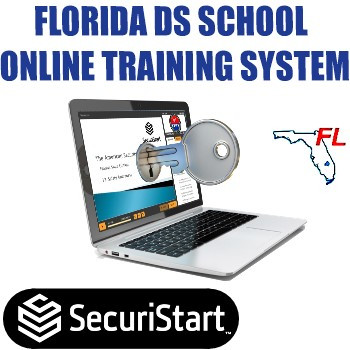
As of August 10, 2023 it is legal for Florida Security Guard Schools having a valid DS License to train security officers online, as long as you have an online LMS (Learning Management System) that meets the State requirements, which are much more stringent than the requirements imposed during the Chinese Virus crisis of 2020 and 2021.
The subscription is made of three distinct fees:
- One-time Setup Cost: $780 which includes the creation of your online portal.
- It will allow you to simply add a link on your website for your students and instructors to login to take the course online under the supervision of the instructor.
- The portal page will be customized so that the banner and color scheme mirror your website. That so your students feel they are taking the training from your school, even though they are on our servers.
- Cost of first 100 students enrollment licenses for the first year: $4.99 per student which allows you to have 100 students registered on your account for the first.
- IF you do not use all 100 enrollment licenses during the first year, the unused licenses will expire. You will then be required to purchase new student licenses to add new students to your account.
- IF you use more enrollment licenses during the first year than initially purchased there will be two options of billing for you:
- If your monthly volume of student enrollment is between 10 and 40 students you will simply be able to buy student enrollments 100 at a time.
- If your monthly volume of student enrollment is in excess of 40 students we will bill you quarterly based on your exact use of enrollment licenses.
Our system is absolutely unique . . .
- It allows you to run six virtual classrooms at the same time:
- 1 Proctored, as required by the State, where and automated presentation with narration plays automatically so that all you need to do is provide additional comments on the content and answer student questions via chat.
- 5 Classrooms for students who need to make-up a lesson they missed or fail, and that you only need to monitor and answer questions to.
- You can chat with one student at a time, or an entire classroom or even with all students in all classroom at the same time.
- You can control each classroom independently, start, pause, end, or all the classrooms at the same time.
- When students create their account, to complete their profile they have to:
- Create security questions (e.g. what was you first car, what is you mother's maiden name, etc.) which will be used every five minutes during class individually to each students to ensure they stay on the lesson. They'll have 60 seconds and two attempts for each security question. If they fail it you will be warned and will have the option to override the failure, or to fail the student for the lesson.
- Upload a picture of their Driver's License and a selfie in which they hold their license below their face.
- While in class students will be asked knowledge questions about the content they are learning. To pass the lesson they have to score 70% or the lesson will be recorded as a fail.
- To admit student to class, with one click the student will be requested for webcam access and the student's profile picture and ID will popup on your screen so you can match the live student behind the screen with the selfie and the driver's license.
- The system has a backdoor audit access for the Division of Licensing to inspect your records and classes without disturbing your class or your process.
- A complete and detailed record of every answer and interaction between the student, the system and the instructor is automatically kept, including the DI license number of the instructor.
- The system also allows for the instructor to conduct random checks on students by requesting access to the student webcam and matching the student with the driver's license.
- Everything is under your control, and the final examination is also part of the system.
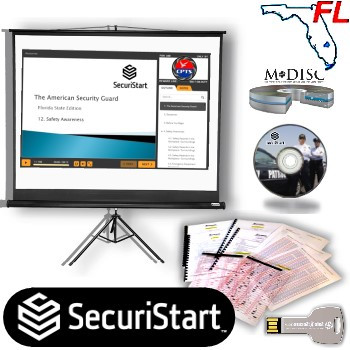
IF you already are a SecuriSTART customer in possession of a current SecuriSTART training kit (whether the Lecturing or the NCPS version) and have a current DS license, then all you need is this subscription to SecuriSTART LMS system to provide online training.
IF you ARE NOT a SecuriSTART customer in possession of a current SecuriSTART training kit, then you need to select the "CURRICULUM REQUIREMENT ($550)" at check-out to become a SecuriSTART customer so we can create your curriculum and provide it to the Division of Licensing, EVEN IF you already have a DS license.
Why do you have to buy our Curriculum Requirement if you are not a customer?
- Because even if you already have your own DS License, curriculum, lesson plans and exam, they does not correspond to the ones we host on our system. If you want to use our online training system, it will be as is, pre-loaded with our courses, curriculum and exam.
- Because it would be too costly for us to take your curriculum and your examination to create the online courses and a whole new LMS system to host your personal courses.
- Because in order for your school to use the curriculum, courses and examination we have developed you must first submit them so that the Division recognizes that this is now your online training curriculum.
- Because if the Division had to inspect or investigate your school they need to know against what standard to make their evaluation.
If you elect to become a SecuriSTART client by selecting the "Curriculum Requirement" the kit you will receive will include:
- Optional: Your licensing fee paid directly to the Division of Licensing for two years (if you select that option)*
- The D License exam and all components in PDF format for classroom use, including:
- Answer key;
- Answer sheets;
- Correction Matrix so you can correct the 170 question tests in seconds;
- All administrative documents in PDF format required for licensing, including:
- Record keeping system;
- Daily Roster sheet;
- Student Registration and progress tracking sheet;
- School Code of Ethics and Conduct sample;
- Course completion certificate;
- School employee ID Template that meet the Division of Licensing requirement;
NOTE: The School/Student Contract is no longer required for licensing but you can still purchase it directly from Attorney Pamela Miller, PLC at https://pammillerlaw.com
- School Inspection checklist, so that you can ensure you have all you need prior to school inspection;
- Recommended insurance for your school;
- FULL processing of application. All YOU are required to do is:
- Fill in the application, have it notarized and mail it back to us.
- Wait for your license and the school inspection.
All materials that need reproduction such as exams and forms that are necessary for each student to complete:
- Are personalized with your school or company logo and information;
- Provided to you in a steel USB drive so you can print from the original files and store the content in multiple computers.
If you do not yet have a DS License We will:
- Submit your application;
- Create all your materials;
- Provide the Division with all they need;
- Keep you up-to-date of the process;
- Let you know when your license has been issued.
You are responsible for:
- Ensuring that you qualify to obtain a DI and a DS License;
- Providing us a copy of your School/Student contract and notarized application.
- Finding a suitable location or office to run your school;
- Managing your business as you will then be a business owner.
ATTENTION: If you include in your purchase the NCPS (Narrated Class Presentation Software) for live classroom presentation) be aware that it is designed to work with PC computers with Windows 10 or later. It MAY be used on a MAC computer but you would have to install Windows running under Mac operating system so the exe has access to the PC-compatible software options. Additionally it may play on some television and/or projector equipped with USB Port and that supports Microsoft Windows 10 or later.
The 42-Hour Presentation covers all the topics and meet all time requirements as per the Florida Division of Licensing 2019-June and onward new curriculum.
*You must verify that in fact you do qualify to obtain a DS License.
Every NCPS presentation is personalized with your company logo and DS License number for your protection and ours. It will make your training even more professional!